


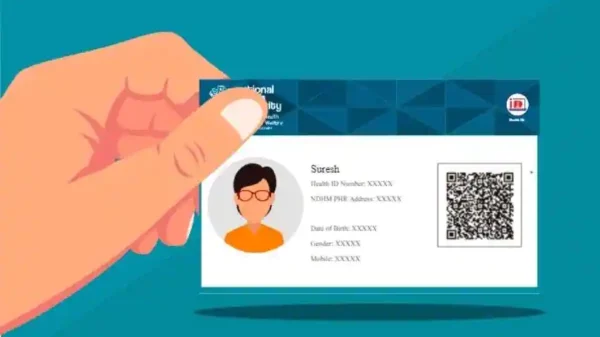

Digitization has altered how we conduct trade and commerce in India. However, the adoption of technology and digitization of healthcare is also just a little behind in the healthcare industry. The Ayushman Bharat Digital Mission (ABDM), or National Digital Health Mission, is an initiative by the Central Government to digitalize the nation’s healthcare system.
The project’s goals are to give all people digital health Identification cards and make it easier for them to access medical records safely and securely safely and securely for hospitals, insurance firms, and health id card holders. Learn about the advantages of a digital health ID and how to apply for one in this post.
What Is An Id Card For Digital Health?
A digital id called a “digital health Identification card” provides information about the cardholder’s identity, especially their health records. With the use of the health Identification card, the cardholder’s healthcare records can be transmitted and accessed electronically without any difficulty.
What Is It?
The digital health ID is a procedurally generated, 14-digit code used to identify people, confirm who they are, and get access to their medical records (but only with their agreement) across various healthcare partners and systems.
What Is The Purpose Of Creating A Digital Health Identification Card?
It is simpler to directly connect, share, and maintain your medical records online with the help of a digital ID card. In addition, as opposed to physical or conventional medical paperwork, your hospital notes are saved in a safe and secure atmosphere with a digital health care card.
The benefits of a digital ID card are mentioned below.
- Through the smartphone app, you may avail of your digital card.
- Maintained and distribute pertinent records to collaborating facilities, healthcare providers, and hospitals.
- It is possible to disable or delete the digital health Card.
- Individual medical records are trustworthy and are available in a safe setting.
Application Process For A Digital Health Identification Card
You can create a digital health Identification card utilising your Aadhaar, a driver’s license, or a cell phone number.
- Via Aadhaar
These are the processes for applying online for an NDHM health card using your Aadhaar number.
Step 1: Go to the NDHM webpage ndhm gov in, and click “Generate ID”.
Step 2:
- Choose “Generate using Aadhaar.”
- Input your Aadhaar number into the space.
- Hit the “Submit” option on the new page.
Step 3: You will get a One Time Password (OTP) to the registered mobile number, which you must submit in the appropriate category.
Step 4: In creating your digital ID, you’ll need to input your basic information and select a username and password.
Step 5: Re-enter your username and password after generating them, together with your address, to access your account.
Step 6: Save a copy of your digital health Identification card for later use.
- From A Driving License
Here is how to register online for an NDHM health card utilisng your driving license (DL).
- Log onto the NDHM homepage (https://healthid.ndhm.gov.in/) and choose “Generate ID” in step one.
- The second step is to pick “Generate through Driving License.” Then, according to a popup window, an enrolment number will be given once the data is submitted.
To obtain your digital health ID, you should take your enrollment number to a collaborating hospital. However, the ID can be established using your Aadhaar number if you want it right away.
- From A Mobile Number
The digital health ID can continue to be generated using your mobile number even if you don’t desire to utilise your Aadhaar or DL to do so.
- Go to the NDHM webpage (https://healthid.ndhm.gov.in/) and click “Generate ID” in step one.
- If you do not have any Identification or don’t want to utilise IDs, step 2 provides the choice to create the health ID. Decide on “Click here.”
- Enter your phone number and address to generate an OTP, then input the generated OTP in the appropriate box.
- To generate your digital health ID, move on to step 4, where you must submit your private information and select a username and a password.
- Utilising your recently founded username and password, perform Step 5 to access your account and enter your address.
- Download your Identity card for digital health for further use.
How Do I Get A Digital Health Id Card Online To Download?
You can get the digital health ID card once you have enrolled adequately for the health ID. The steps for downloading the online health ID card are listed below.
Step 1: Sign in to your registration using the mobile app or website. Input your health ID number and birthdate, and select the “Submit” option.
Step 2: Pick your ID card and click “Download Health ID Card” to download it.
Conclusion
Anybody who wants their medical records to be accessible online and is interested in establishing a digital health ID must do so. The NDHM health card provides numerous advantages, such as secure storage and access to medical records and the ability to use this card at various hospitals. Registering for the card is straightforward and can be done via your Aadhaar, DL, or mobile number. Once you’ve completed the registration process, you can easily download your digital health ID card.

Bhupendra Singh Chundawat is a seasoned technology journalist with over 22 years of experience in the media industry. He specializes in covering the global technology landscape, with a deep focus on manufacturing trends and the geopolitical impact on tech companies. Currently serving as the Editor at Udaipur Kiran, his insights are shaped by decades of hands-on reporting and editorial leadership in the fast-evolving world of technology.