

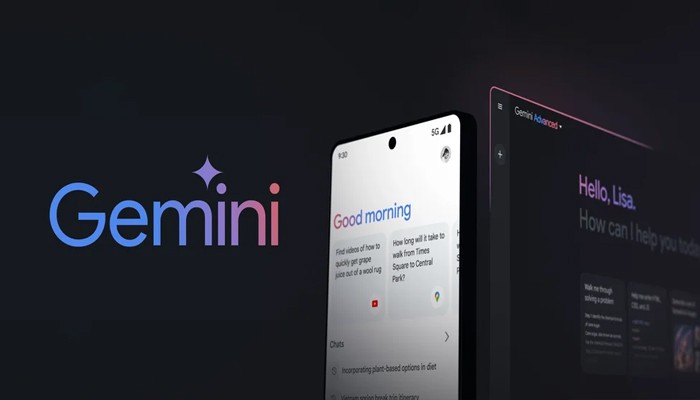

Google’s Gemini app for Android is apparently getting a new feature that allows users to open the app in two separate windows. This feature was discovered in the latest Google Apps beta, but is not yet visible or available to beta testers. According to the report, this feature allows users to open both the Gemini app and the Gemini artificial intelligence (AI) assistant simultaneously in a multi-window interface and access each separately. Google has not yet announced a plan to release this feature.
Gemini app appears to open in two separate windows
According to Android Authority, this experimental feature was discovered in the latest Google Apps for Android beta (version 15.26.34). As mentioned above, this feature was not visible and the publisher discovered it when uninstalling the program. To make this possible, beta testers must enable certain flags that are not listed.
The report includes a short video showing how the new feature works. Enabling this feature generally allows users to activate the Gemini AI assistant. When displayed as a pop-up interface on the bottom screen, users can hold down the top handle. This will allow you to drag the popup to the top of the screen.
Once published, a second window will open, similar to the Gemini app or website version. At the same time, the multi-window interface is activated and the Gemini AI assistant popup remains active.
The report claims that using one window had no effect on the other. This means users can use Gemini AI models to run two separate queries independently. This feature sounds like a party trick, but it’s also useful for people who want to test their AI and compare their responses to slightly different queries. This is also useful in scenarios where the user does not want one notification to influence the response of the next notification.
Additionally, the code string “android:name=”com.samsung.android.drag_and_drop.launch.multiwindow.mode” was found in the publication, indicating that the feature was originally developed for Samsung smartphones. It may mean that there is. If you have a Samsung Galaxy Z Fold 6 and Galaxy Z Flip 6 nearby, this feature may be designed for a secondary display interface.
However, over time, features are often removed and developers forget to remove lines of code from beta programs. This could be one of those things. However, there is no way to know until the feature rolls out or Google releases an update.

Bhupendra Singh Chundawat is a seasoned technology journalist with over 22 years of experience in the media industry. He specializes in covering the global technology landscape, with a deep focus on manufacturing trends and the geopolitical impact on tech companies. Currently serving as the Editor at Udaipur Kiran, his insights are shaped by decades of hands-on reporting and editorial leadership in the fast-evolving world of technology.