

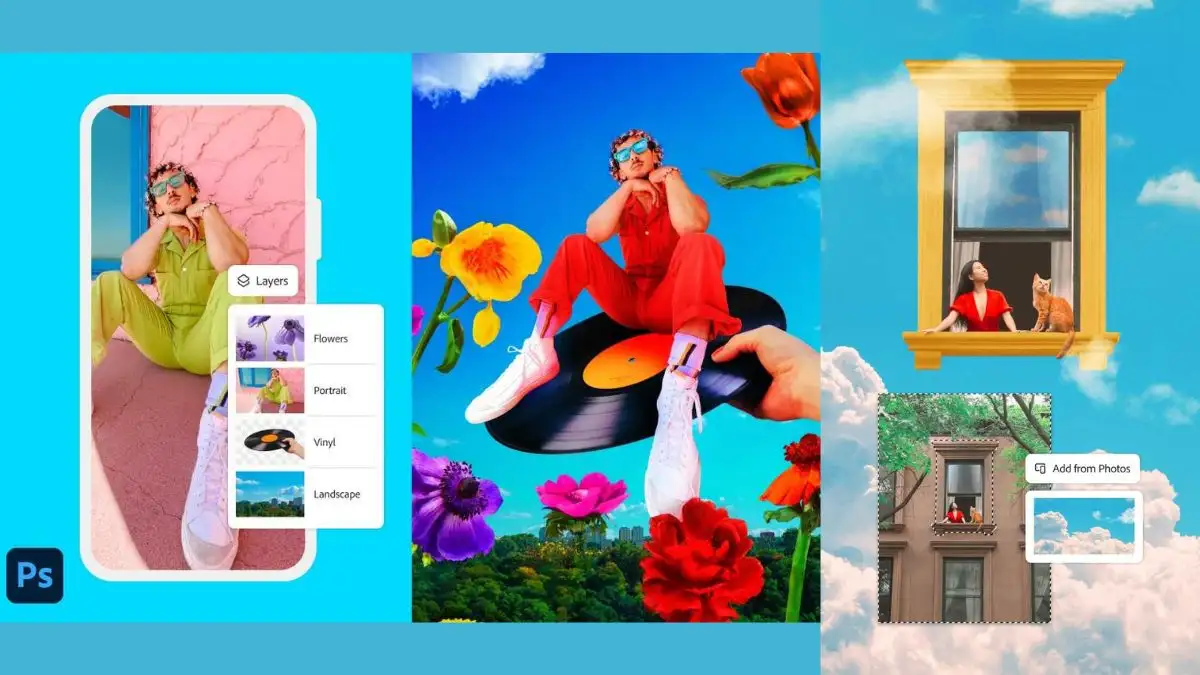

Adobe, the global leader in creative software, has officially launched Adobe Photoshop for iPhones, marking a significant milestone in the evolution of mobile photo editing. While the company has offered a dedicated Photoshop app for iPads since 2019, this is the first time Photoshop’s powerful image editing tools are available on iPhones.
This move is aimed at mobile-first creators, giving them access to Photoshop’s professional-grade tools on a compact, easy-to-use mobile interface. Adobe has also confirmed that an Android version will be launched later this year, expanding the reach of mobile Photoshop editing to a broader audience.
With advanced selection tools, AI-powered features, unlimited layers, and seamless integration with other Adobe apps, Photoshop on iPhone brings desktop-level editing to mobile devices, making it a game-changer for photographers, designers, and social media content creators.
📌 Adobe Photoshop on iPhone: Top Features
🔹 1. Core Photoshop Features on Mobile
Adobe’s Photoshop on iPhone includes many of the powerful tools available in the desktop version, such as:
✅ Precise selection tools for cutting out objects and making fine adjustments.
✅ Unlimited layers and masks for advanced editing and non-destructive workflows.
✅ Brush and Spot Healing tools to remove imperfections and unwanted objects.
🔹 2. AI-Powered Generative Tools
Adobe has incorporated its AI-driven features into the mobile app, making advanced editing tasks faster and easier.
✅ Generative Fill: AI-based object addition and removal within images.
✅ Generative Expand: Allows seamless expansion of backgrounds without losing image quality.
✅ Content-Aware Fill: Automatically removes unwanted elements and blends surrounding details.
🔹 3. Seamless Integration with Adobe Creative Cloud
Photoshop on iPhone allows easy file syncing and editing across multiple platforms, including:
✅ Adobe Express for quick social media content creation.
✅ Adobe Fresco for advanced digital painting and illustration.
✅ Adobe Lightroom for fine-tuned color correction and photography adjustments.
✅ Photoshop Web for cloud-based editing on desktops and mobile browsers.
🔹 4. Full-Resolution Editing and Exporting
✅ Users can edit high-resolution images without compression loss.
✅ Supports various export formats, including PSD, JPG, PNG, and TIFF.
✅ Access to Adobe Stock’s free asset library for images and graphics.
🔹 5. Tap Select and Spot Healing Tools
✅ Tap Select: Allows users to instantly remove, recolor, or replace any part of an image.
✅ Spot Healing Brush: Lets users brush away blemishes, spots, and unwanted distractions with ease.
🔹 6. Free and Premium Versions Available
✅ Many of Photoshop on iPhone’s tools are free, but advanced features require a Premium subscription (details below).
📌 Adobe Photoshop Premium Plan: Advanced Features & Pricing in India
Adobe is offering a Premium subscription for users who need more advanced image editing capabilities. This subscription unlocks extra tools and extends functionality to both mobile and web users.
🔹 Premium Features on Mobile (iPhone App)
✅ Remove Tool: Allows precise removal of objects from images.
✅ Clone Stamp: Lets users duplicate textures and patterns for seamless edits.
✅ Advanced Blend Modes: Enhances image layering and transparency effects.
✅ Magic Wand & Object Select: AI-powered selection tools for quick background removal.
✅ Content-Aware Fill: Instantly removes objects and fills spaces intelligently.
✅ Support for 20,000+ fonts for text-based designs.
✅ Works with PSD, TIFF, JPG, PNG file formats for professional editing.
🔹 Premium Features on Web (Photoshop Web App)
✅ Camera RAW filter for advanced photo retouching.
✅ Shapes & Layer Effects for graphic design projects.
✅ Quick Actions for fast one-tap edits.
✅ Generative AI tools like Generate Similar & Reference Images for AI-powered creativity.
🔹 Pricing & Subscription Details in India
📌 Adobe Photoshop Premium on iPhone costs ₹799 per month.
📌 Available for purchase via Apple’s App Store.
📌 The subscription includes access to Photoshop on iPhone, web, and desktop versions.
📌 How Photoshop on iPhone Benefits Creators
With the launch of Photoshop on iPhone, Adobe is bringing professional editing tools to content creators, social media managers, and mobile photographers. The app allows users to:
✅ Edit high-quality images on the go, making it perfect for travel bloggers, influencers, and designers.
✅ Use AI-powered tools to automate editing, reducing time spent on background removal and object adjustments.
✅ Seamlessly work across devices, ensuring workflow continuity from mobile to desktop.
✅ Create professional designs for social media, marketing, and branding without needing a laptop or tablet.
📌 When Will Adobe Photoshop Launch on Android?
While Adobe Photoshop on iPhone is available now, Android users will have to wait a bit longer. Adobe has confirmed that a dedicated Photoshop app for Android smartphones will be launched later in 2025, though an exact release date has not been disclosed.
Given that Adobe’s Photoshop for iPad took several years to develop, Android users can expect a similar experience with full-featured tools optimized for mobile screens.

Bhupendra Singh Chundawat is a seasoned technology journalist with over 22 years of experience in the media industry. He specializes in covering the global technology landscape, with a deep focus on manufacturing trends and the geopolitical impact on tech companies. Currently serving as the Editor at Udaipur Kiran, his insights are shaped by decades of hands-on reporting and editorial leadership in the fast-evolving world of technology.