

The loss of important documents can seriously disrupt your personal and professional life. Consequently, file recovery software plays an increasingly important role. MyRecover is a well-known name in the field of data recovery software and claims to address various data loss situations.
Does MyRecover really work? Does he meet all your expectations? In this MyRecover review, we have gathered the main features and test results for easily and quickly recovering deleted data.
Why MyRecover?
MyRecover is a professional and safe Windows file recovery software that is efficient and easy to use. It can recover various deleted or lost data from different storage media such as hard drives, USB drives, memory cards, etc.
Moreover, advanced analysis methods help you retrieve your data in a thorough and swift manner. MyRecover makes data recovery easy in just three simple steps.
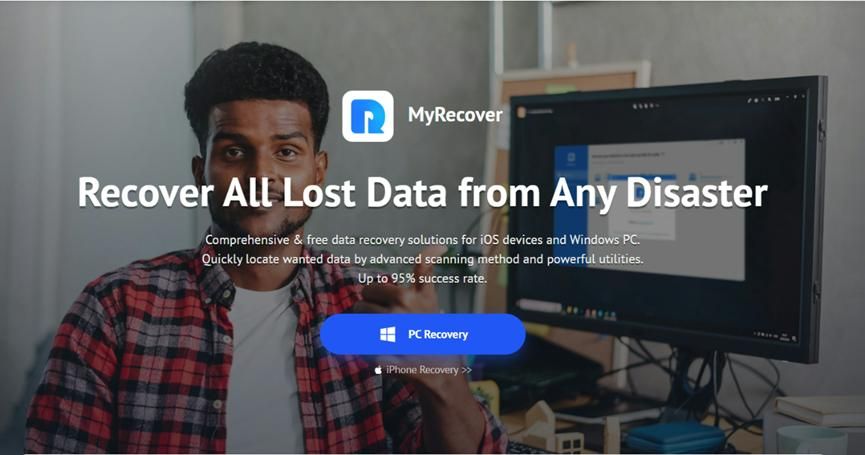

Key features offered by MyRecover:
Easy to use: Recover provides a user-friendly interface that simplifies the recovery process.
It applies to various loss scenarios: it can help in cases of accidental deletion, disk formatting, system failure, virus attacks, and other issues.
Two analysis methods: quick analysis and in-depth analysis are the two analysis options. The in-depth analysis finds additional lost data while the quick analysis finds deleted data. In case of loss or deletion, it allows for the complete recovery of files.
Recover over 200 types of files: supports over 200 file formats, including text, photos, video, audio, email, and much more.
Create a bootable media: If your computer won’t start or crashes, MyRecover can help you recover lost data by creating bootable media such as CDs, DVDs, and USB drives.
Filtering and previewing features: they help you quickly find the desired files. Additionally, you can preview the desired files before starting the recovery.
Supports a wide range of devices: compatible with NTFS, FAT32, exFAT, and ReFS file systems, and works on Windows 11, 10, 8, 7, and Server. Supports hard drives, SSDs, USB flash drives, memory cards, etc.
Does MyRecover really work?
We are here to help you by trying MyRecover ourselves and letting you know how well it works for recovering lost or deleted files. We conducted a recovery test to assess its effectiveness.
Test conditions
We are creating two data loss scenarios: accidental deletion and disk formatting. Next, download and install MyRecover from the official website to recover deleted files on Windows 10.
Accidental deletion: files such as DOCX, JPG, PNG, MP4, MOV, AVI, MP3, 7Z, ZIP, etc. are intentionally deleted and the recycle bin is emptied.
Disk format: recover files from formatted hard drives.
Test procedure
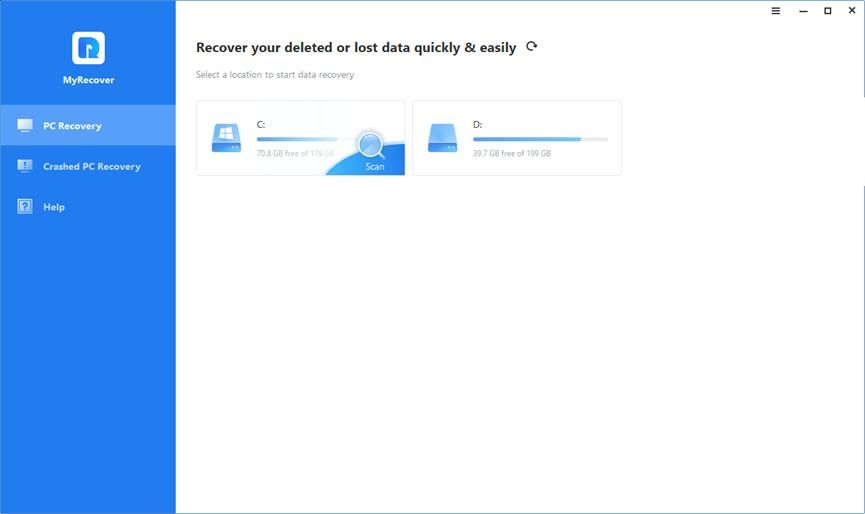
Launch the program, hover over the drive where the deleted files are stored or the formatted disk, and then click on Scan to start the scanning process.
After finding the lost files with a quick scan and a deep scan, you can filter the desired files and preview them before starting the file recovery.

We select the MP4 videos we want to recover and click on “Recover x files.” Next, you need to select a new location on your PC to save the recovered data.
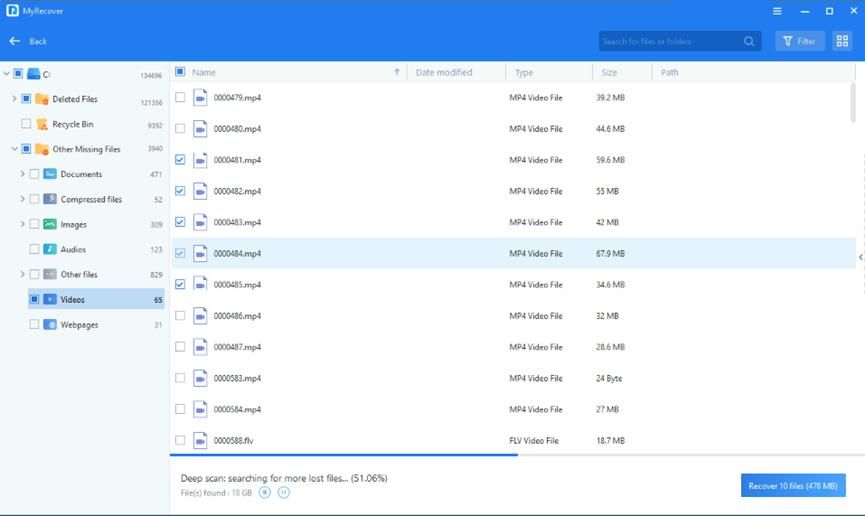
Once the recovery process is successfully completed, the videos will be restored to the specified location. We are visiting the places for an overview. We found that MP4 videos were being retrieved efficiently.
Test results
Accidental deletion: MyRecover excels in recovering files that have been accidentally deleted, quickly restoring them to their original name, format, quality, and path without missing any data.
Disk formatting: MyRecover is so effective to recover data from formatted storage devices that you can fully recover your files even after the complete erasure of the disk.
In the End
According to our comprehensive tests, MyRecover has proven to be a powerful file recovery software, capable of handling various data loss situations. Recovers accidentally deleted or lost files, displays a high success rate, and maintains file integrity.
Without a doubt, MyRecover is a reliable and user-friendly choice for those looking to recover permanently deleted files on Windows 10/11. For those considering using data recovery software, it is recommended to maintain regular backups and to use data recovery as a preventive measure rather than as the sole solution.

Bhupendra Singh Chundawat is a seasoned technology journalist with over 22 years of experience in the media industry. He specializes in covering the global technology landscape, with a deep focus on manufacturing trends and the geopolitical impact on tech companies. Currently serving as the Editor at Udaipur Kiran, his insights are shaped by decades of hands-on reporting and editorial leadership in the fast-evolving world of technology.