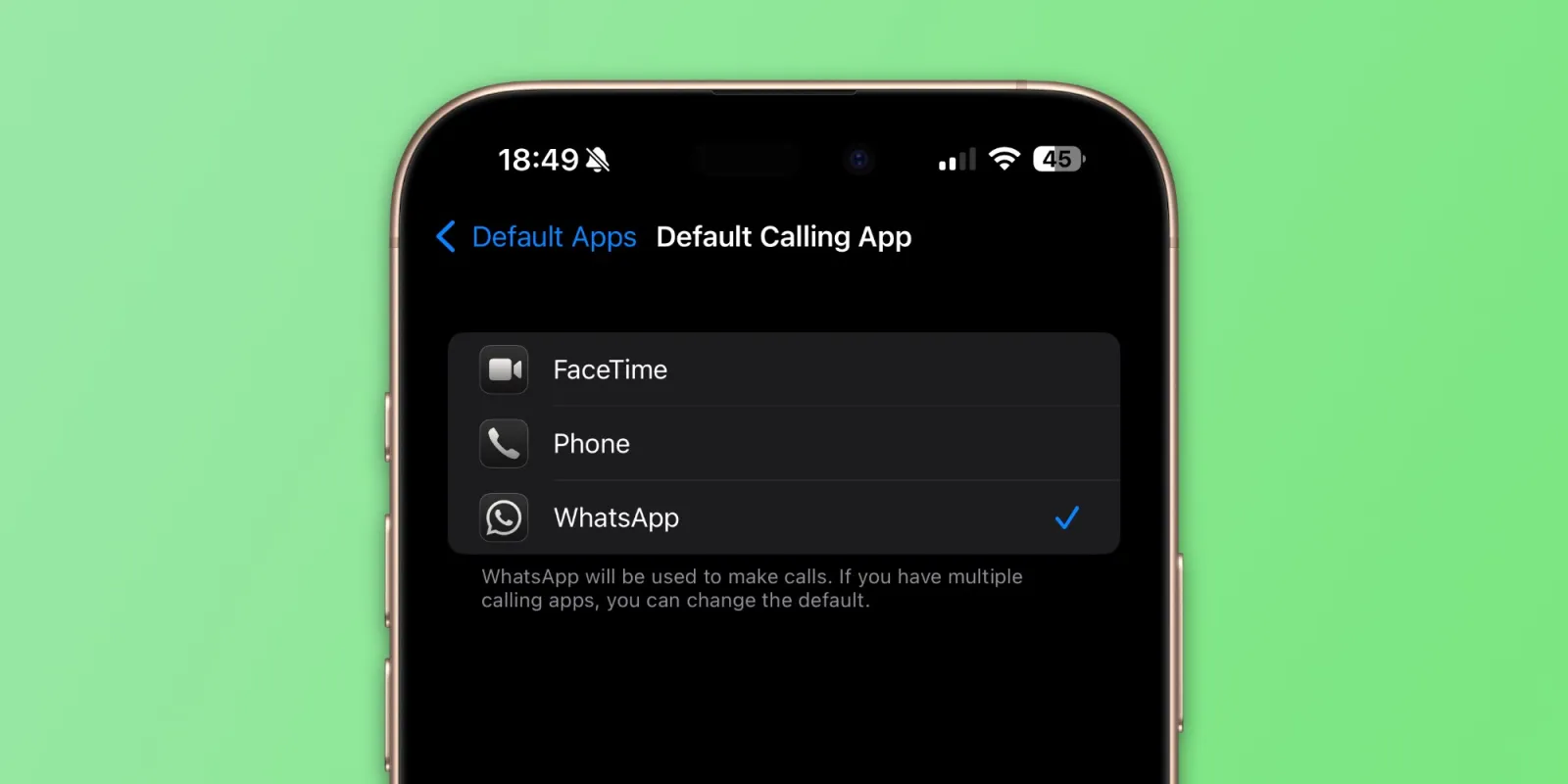
April 1, 2025 — In a major update that iPhone users have long awaited, Apple now allows you to set WhatsApp as your default app for calling and messaging — making communication simpler, smoother, and smarter.


Until now, Apple’s ecosystem restricted users to its own Phone and iMessage apps for default communication. But with this new iOS update, users finally have the freedom to use WhatsApp for all calls and messages by default — without switching apps every time.
Why This Update Matters
This marks a big shift in Apple’s closed ecosystem, especially for users in countries like India where WhatsApp is the most used messaging app. Here’s what changes:
Voice calls placed from contacts or call buttons will automatically use WhatsApp, not your carrier.
Text messages will default to WhatsApp, replacing SMS or iMessage (for those not using it).
Reduces friction and offers one unified experience for all communications.
How to Set WhatsApp as Your Default Calling App on iPhone
Follow these quick steps:
Open the Settings app on your iPhone.
Scroll and tap on Phone.
Tap Default Calling App.
Choose WhatsApp from the list.
Now, all calls you make using the Phone interface will be routed through WhatsApp — saving you mobile minutes and giving better call quality.
How to Set WhatsApp as Your Default Messaging App
To ensure all your messages go through WhatsApp instead of SMS:
Open Settings on your iPhone.
Tap Messages.
Select Default Messaging App.
Tap WhatsApp.
Now, when you message a contact, your iPhone will launch WhatsApp automatically.
Why You’ll Love This Feature
Cost-saving: WhatsApp uses the internet, so no extra SMS or voice call charges.
Better voice clarity: WhatsApp calls often have clearer audio than traditional calls.
Cross-device sync: Chat and call from your iPhone, iPad, Mac, or desktop seamlessly.
More fun and expressive: Enjoy emojis, voice notes, stickers, GIFs, and more — all native to WhatsApp.
iPhone + WhatsApp = A Smarter Way to Communicate
This new integration boosts WhatsApp’s position as a global communication platform and reflects Apple’s subtle shift toward greater user choice and third-party app flexibility.
If WhatsApp is already your go-to app, setting it as default just makes life easier. Try it today and make your iPhone experience more streamlined and personalized.

Bhupendra Singh Chundawat is a seasoned technology journalist with over 22 years of experience in the media industry. He specializes in covering the global technology landscape, with a deep focus on manufacturing trends and the geopolitical impact on tech companies. Currently serving as the Editor at Udaipur Kiran, his insights are shaped by decades of hands-on reporting and editorial leadership in the fast-evolving world of technology.